 TidyMac
TidyMac is a disk space analyzer and storage manager for macOS 15 Sequoia or later. Its Disk Map shows your drive as a treemap or sunburst you can drill into down to single files. Every part of System Data is explained and labelled, and TidyMac tracks free space over time and forecasts when the disk will fill. $9.99 once for two Macs.
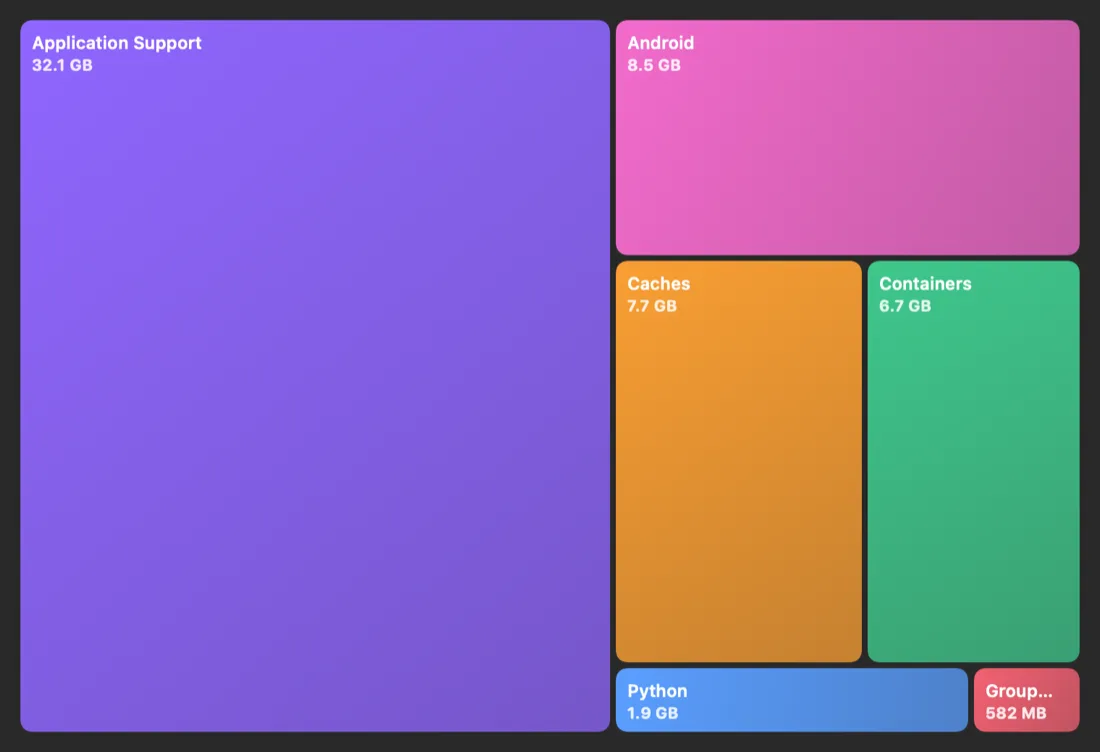
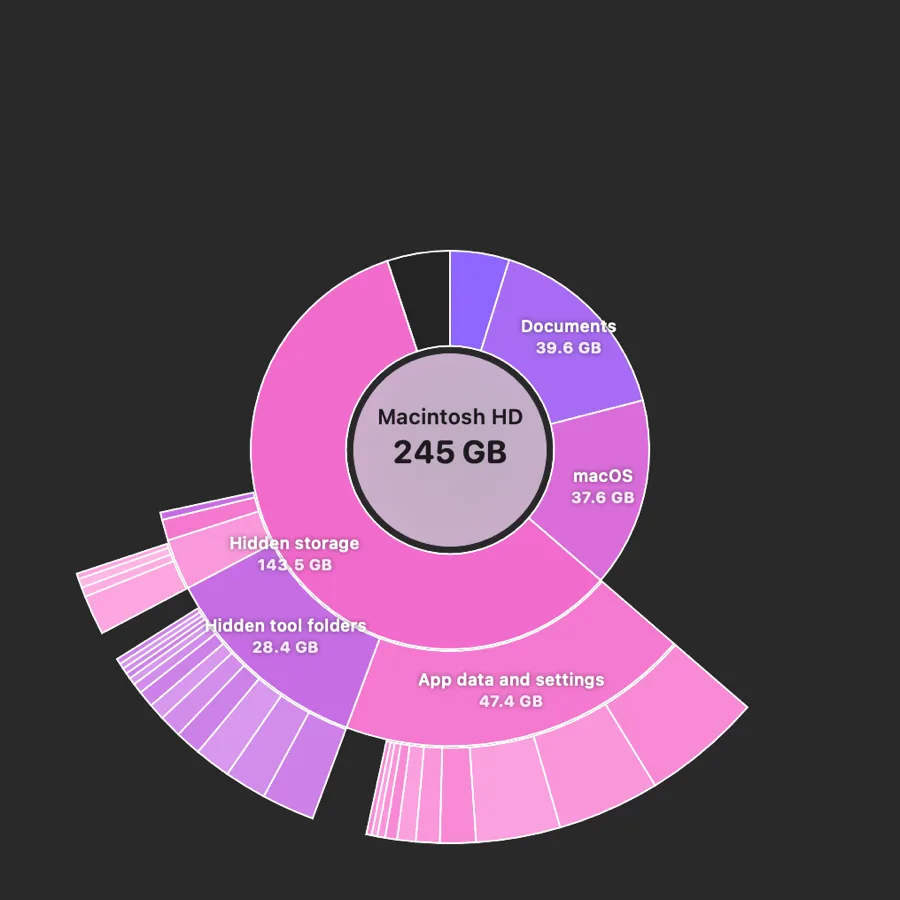
Analyze: see where the space went
- Disk Map draws your drive as a treemap: the bigger the block, the bigger the folder. Drill from any folder down to single files.
- Sunburst view shows the whole disk in one picture. Click a ring to zoom in.
- Large files in your own folders are listed by size. TidyMac never removes them for you.
- Other big folders outside the library are matched to the app that made them, with a check for whether that app is still installed.
Understand: every gigabyte has a name
macOS lumps snapshots, backups, caches, developer files and app data into one grey “System Data” bar. TidyMac splits it into named parts and explains each one, with a safety label. What System Data is · The full library
Manage: history, forecast and alerts
- Storage history: free space per day for the last 30 days, every clean, and what grew this week.
- Forecast: “at this rate, your Mac fills up in about N days.”
- Mac Health in the menu bar: free space, memory, CPU, battery and space used per day, without opening the app.
- Notifications only when they matter: disk fills in N days, safe space found, storage filling fast, or a leftover installer you no longer need.
Act: clean and uninstall safely
When you decide to free space, Safe items are ticked, everything goes to the Trash after you confirm twice, and the disk is checked afterwards. The uninstaller removes apps together with their leftovers. Mac cleaner · Uninstall apps completely
Ask your AI tools
TidyMac’s local MCP server lets Claude Code, Codex or Cursor ask what grew, what’s big and what’s safe, read-only by default. MCP server
Disk space analyzers for Mac, compared
| Feature | TidyMac | DaisyDisk | OmniDiskSweeper | macOS Storage settings |
|---|---|---|---|---|
| Visual disk map | Treemap and sunburst | Interactive sunburst | Sorted list | Storage bar |
| Explains what each folder is | Yes, with safety labels | Not a focus | No | No |
| Opens up “System Data” | Yes, named parts | Shows hidden space | Lists folders | No |
| Storage history and forecast | Yes | No | No | No |
| App uninstaller with leftovers | Yes | Not a focus | No | Deletes apps only |
| Price | $9.99 once | One-time purchase | Free | Free, built in |
Based on each product’s public website, October 2026. Prices and features change; check each product’s own site.

Let TidyMac do this for you
See every part of your storage explained, and clean only what’s safe after you confirm twice. $9.99, one time.
Frequently asked questions
What is the best disk space analyzer for Mac?
It depends on what you need. DaisyDisk is great for exploring your disk visually and deciding everything yourself. OmniDiskSweeper is free and lists folders by size. TidyMac is for when you also want each folder explained, labelled for safety, and tracked over time. Detailed comparisons
How do I see what’s taking up space on my Mac?
Start with System Settings › General › Storage for the big picture. For folder sizes, run du -sh ~/* | sort -rh | head in Terminal, or use a disk analyzer. Terminal commands · Find large files
Does TidyMac read my files?
No. It looks at names, sizes, dates and which app made a folder, never file contents. Nothing leaves your Mac.
What’s the difference between a storage manager and a cleaner?
A cleaner removes things. A storage manager also shows where the space is, explains it, tracks how it changes and warns you before the disk fills. TidyMac does both, and nothing is removed until you confirm twice.
How much does TidyMac cost?
$9.99, once, for two of your Macs. That’s the launch price for the first 100 buyers; after that it’s $24. No subscription, no account, and every 1.x update is included.
Which Macs does TidyMac support?
macOS 15 Sequoia or later, on Apple silicon and Intel. Macs with Apple Intelligence use it for explanations; others can add an optional 241 MB on-device model.