 TidyMac
A good Mac cleaner should tell you what each item is, whether it’s safe to remove, and prove the space came back. TidyMac does all three: plain-English explanations with safety labels, cleaning to the Trash after you confirm twice, verification on disk, and Put back. It also uninstalls apps with their leftovers. $9.99 once for two Macs, and it works offline.
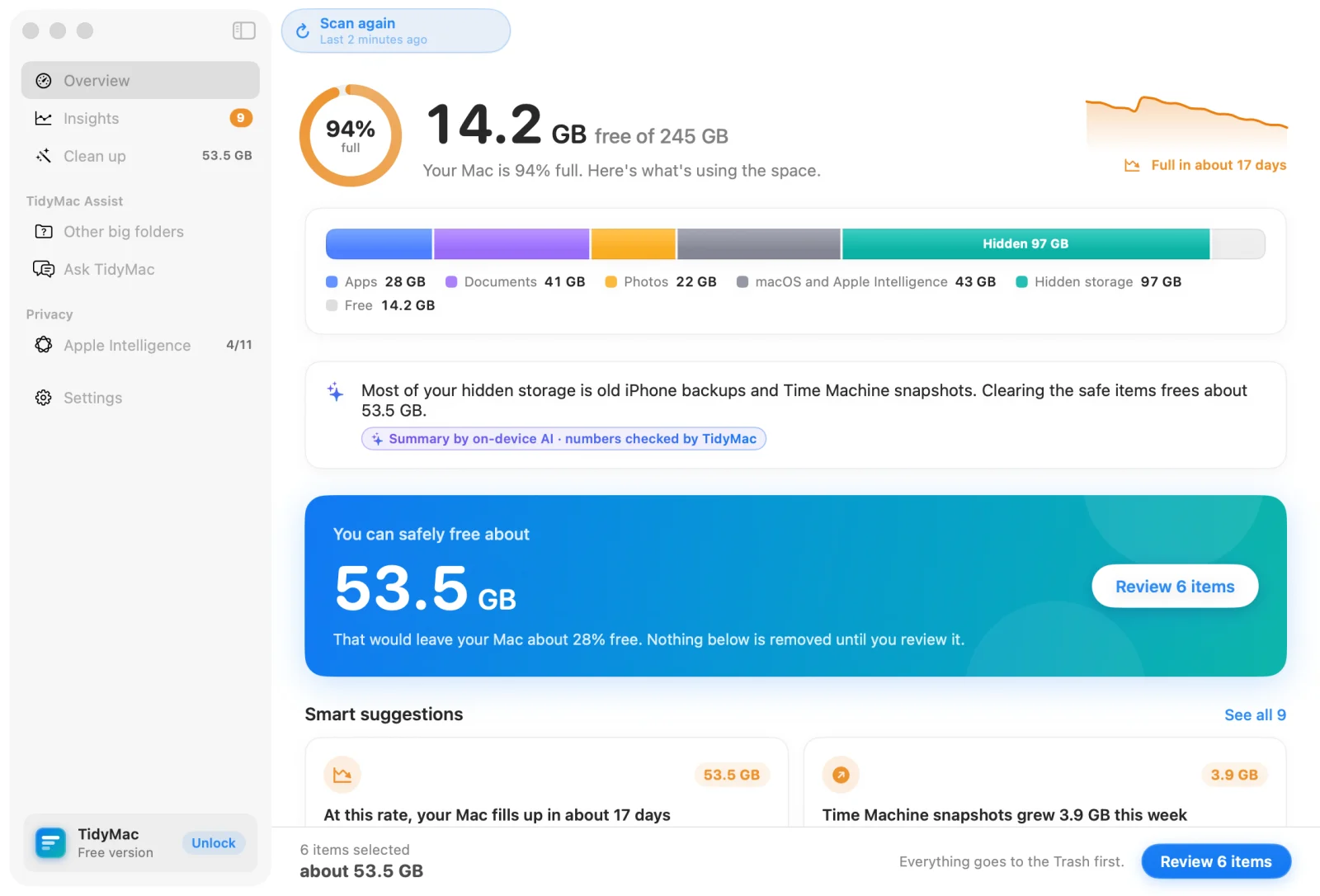
What a safe Mac cleaner should do
- Explain before it deletes. Every category answers five questions: what it is, why it’s big, whether it’s safe, what happens after, and whether it comes back.
- Label the risk. Safe, Check first, Your choice or Leave alone, on every item. Only Safe items are ticked for you.
- Use the Trash. Files go to the Trash first and you can put them back. TidyMac never empties the Trash on its own.
- Use Apple’s own tools. Snapshots are thinned with tmutil and simulators removed with simctl, never by deleting files underneath them.
- Skip what’s in use. Open apps are skipped and the result says so.
- Prove it. After cleaning, TidyMac checks the disk. Anything that couldn’t go is listed with the reason and a fix.
More than cleaning
- Disk Map: your drive as a treemap or sunburst, down to single files. Storage manager
- App uninstaller that also removes the leftovers apps leave in your Library. How uninstalling works
- Performance: real temperature, CPU and memory, and a cool-down Boost that calms busy apps without quitting them. Mac running hot?
- Mac Health in the menu bar, and notifications only when there’s something specific: your disk fills in N days, safe space found, running hot, a busy app, a leftover installer, or storage filling fast.
- On-device AI: Apple Intelligence where available, otherwise an optional 241 MB local model. Nothing is uploaded.
- A local MCP server so Claude Code, Codex and Cursor can read your storage insights. How it works
What TidyMac won’t do
It doesn’t scan for malware, “clean” your memory, or promise a faster Mac by deleting files. Freeing space helps when the disk is nearly full; it doesn’t speed up a Mac that already has plenty of room.
What TidyMac finds and cleans
| Category | What it is | Label |
|---|---|---|
| Time Machine snapshots | Hourly restore points your Mac keeps on its own drive | Safe to thin |
| iPhone and iPad backups | Full copies of your devices made with Finder | Check first |
| App caches | Temporary copies apps keep to load faster | Safe |
| Xcode build files | Rebuilt automatically next time you build | Safe |
| Local AI models | AI models you downloaded to run on this Mac | Your choice |
| Old installers | Disk images for apps already installed | Safe |
| Xcode device support | Files copied from devices you tested on | Safe |
| Simulators | Virtual iPhones and iPads Xcode uses for testing | Check first |
| Developer package caches | Downloaded copies kept by Homebrew, npm, pip and Yarn | Safe |
| Logs | Diary files apps write about problems | Safe |
| Mail attachment copies | Copies of attachments you opened in Mail | Safe |
| Messages attachments | Photos, videos and files from your conversations | Leave alone |
| Docker | One big virtual disk with your containers and images | Leave alone |
| macOS and Apple Intelligence | The system itself, including Apple Intelligence models | Info |
| App data and settings | Saved data apps keep in your Library | Info |
| Hidden tool folders | Folders command-line tools keep in your home | Info |
| Trash | Files you deleted, still using space | Info |
| What TidyMac can't see | Protected by macOS. TidyMac won't guess | Info |
TidyMac and the other ways to clean a Mac
| Feature | TidyMac | macOS Storage settings | By hand (Finder + Terminal) | All-in-one cleaner suites |
|---|---|---|---|---|
| Explains each part of System Data | Yes, in plain English | No | Only if you research each folder | Varies; often grouped into categories |
| Safety label on every item | Yes | No | No | Varies |
| Files go to the Trash first | Yes, with Put back | Varies | In Finder yes; rm in Terminal is permanent | Varies |
| Checks the disk after cleaning | Yes | No | No | Varies |
| App uninstaller with leftovers | Yes | Deletes apps only | By hand | Often included |
| Malware scanning | No, by design | Built-in XProtect | No | Often included |
| Price | $9.99 once | Free, built in | Free | Often a subscription |
“All-in-one cleaner suites” describes the category in general, not any one product. Features and prices change; check each product’s own site.

Let TidyMac do this for you
See every part of your storage explained, and clean only what’s safe after you confirm twice. $9.99, one time.
Frequently asked questions
Do Macs need a cleaner?
Not always. macOS clears some caches and purgeable space on its own. A cleaner helps when storage is full and System Data is a mystery: it shows what’s inside and removes the safe parts properly. If your disk has plenty of free space, you don’t need to clean it.
Is it safe to use a Mac cleaner?
It depends on how it deletes. TidyMac removes nothing until you review it and confirm twice, moves files to the Trash by default, skips open apps, blocks system folders, Photos, Documents and Desktop in code, and thins snapshots only with Apple’s own tool.
Will cleaning make my Mac faster?
Only if the disk was nearly full, because macOS needs free space for updates and swap. For a hot or busy Mac, the cause is usually an app using the CPU; TidyMac’s Performance view shows which one. Why Macs run hot
How much does TidyMac cost?
$9.99, once, for two of your Macs. That’s the launch price for the first 100 buyers; after that it’s $24. No subscription, no account, and every 1.x update is included.
Does TidyMac work offline?
Yes. Scanning, explanations, cleaning and the on-device AI all run on your Mac. The only network calls are licence activation and update checks.
Which Macs does TidyMac support?
macOS 15 Sequoia or later, on Apple silicon and Intel. Macs with Apple Intelligence use it for explanations; others can add an optional 241 MB on-device model.